Warehouse Management System Demo: Locations, Items and Barcodes
1:01Published 23 Sept 2026 CaptionsSynthetic narration
A narrated walkthrough of MileSoft's warehouse management system: the stock dashboard, locations coded by zone, rack and bin, the item master with minimum stock levels, and barcode and QR labels for every movement.
Transcript
Narration is a computer-generated voice (Kokoro-82M text-to-speech) reading this transcript. Screens are captures of the software; client names and data in them have been replaced.
0:00Stock dashboard
Here is how MileSoft's warehouse management system gives every item one location and one current state.
The dashboard shows stock at each stage, from raw material to semi-finished and finished goods, with today's production, orders ready for dispatch, and who is online.
Tabs run the whole flow: master data, barcodes, inbound, production planning, picking, dispatch, reports and traceability.
0:26Location master
Every location is coded by zone, rack and bin, with its type, capacity and the stock it holds, and prints its own barcode.
0:34Item master
Items carry a type, an auto-generated code, a unit of measure and a minimum stock level, and show their current stock.
0:42Barcodes and receipts
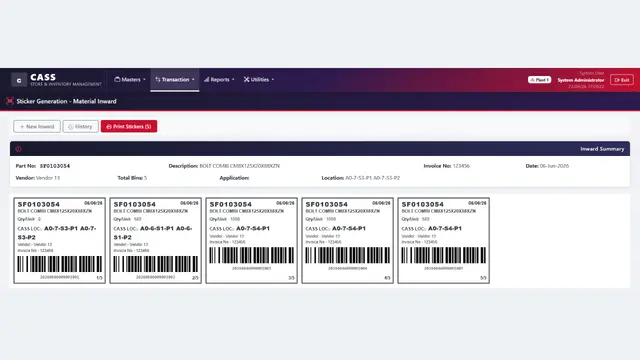
Barcodes and QR codes are generated and printed from one screen, and each goods receipt is logged with its item, quantity, vendor and reference.
Every item in one known place and state, from receipt to dispatch. Book a live demo at milesoft.net.