AHU Selection Software Demo: From Enquiry to Costed Offer
1:53Published 23 Sept 2026 CaptionsSynthetic narration
A narrated walkthrough of MileSoft's AHU selection software: the five-step wizard from project details and unit construction to drag-and-drop section design, a per-decker bill of materials with live costing, and a locked, printed offer.
Transcript
Narration is a computer-generated voice (Kokoro-82M text-to-speech) reading this transcript. Screens are captures of the software; client names and data in them have been replaced.
0:00Enquiry dashboard
Here is how MileSoft's AHU selection software takes an air handling unit from enquiry to a costed, drawn offer.
Every enquiry starts on one dashboard: received, submitted and still pending.
Each project lists its offer number, client, units and who quoted it.
0:19Step 1 · Project info
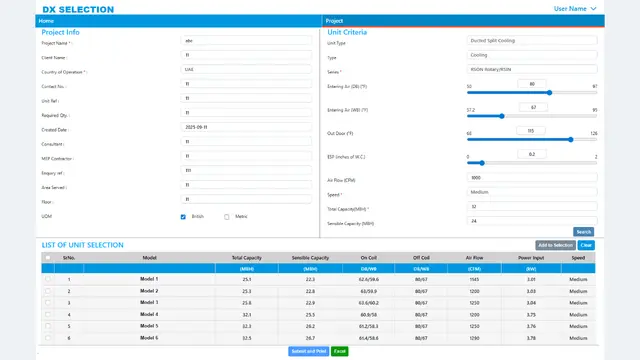
Step one records the client, and the offer, revision and CRM numbers.
Units are set once for the whole project: CFM, mmWg and feet per minute.
0:31Step 2 · AHU configuration
Step two defines how the unit is built: certification basis, category and application.
Air balancing sits beside the construction: panels, insulation and face velocities.
Damper velocities, and the side every door and damper sits on, are set here too.
0:50Step 3 · Section design
In step three, sections are dragged into air-flow order: pre-filter, coil, fan, filters and cooling pad.
The schematic redraws each section to scale, and exports as a drawing.
The summary checks every section length against the unit length.
1:07Accessories
Accessories are ticked on the unit itself, from gauges to louvers and legs, so they reach the bill of materials without retyping.
1:15Step 4 · BOM & costing
Step four builds the bill of materials per decker, with SAP codes, quantities, rates and amounts.
Every cost category rolls up into a unit price, discount and final amount.
1:28Step 5 · Reports & submission
Step five submits and locks the offer, prints the reports, and exports the schematic.
1:33Team workflow
Around the wizard, new enquiries are allotted to an engineer in one click.
1:38Inquiry register
And the inquiry register tracks every offer's value, status and any reason for delay.
From enquiry to a costed, drawn offer, in one place. Book a live demo on your own units at milesoft.net.