ERV Selection Software Demo: Sizing Energy Recovery Ventilators
1:08Published 23 Sept 2026 CaptionsSynthetic narration
A narrated walkthrough of MileSoft's energy recovery ventilator selection software: fresh and return air conditions in, temperature effectiveness and leaving conditions out, both fans sized, and a full technical report for every unit.
Transcript
Narration is a computer-generated voice (Kokoro-82M text-to-speech) reading this transcript. Screens are captures of the software; client names and data in them have been replaced.
0:00Project log
Here is how MileSoft's ERV selection software sizes an energy recovery ventilator from the air on both sides of the device.
Saved selections are listed in the project log, and export to Excel.
0:14Project setup
A new project asks one question up front: whether a cooling coil is sized alongside the recovery device.
0:21Unit selection
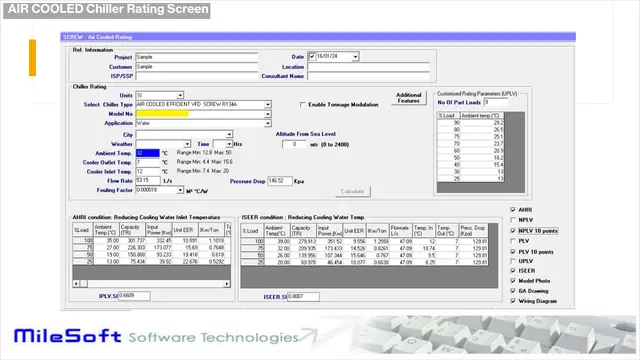
Pick the model and units, then enter the fresh and return air, with the supply and return static pressure.
The result gives the temperature effectiveness at these exact conditions, and how the fresh and exhaust air leave.
Fan details show working and maximum speed, static efficiency and motor power for both fans.
Each unit is saved to the selection list, and every report prints in one go.
0:46Technical report
The technical report sets out the casing, the filters, and the recovery wheel's fresh, return, supply and exhaust conditions.
Then the cooling coil and both fans, ready to go out with the offer.
Effectiveness at the real operating point, fans included, in one report. Book a live demo at milesoft.net.